If you manage Intune at scale, you’ve probably hit this wall:
Intune assigns policies to device groups. Most organizations are structured around user groups. There is no native bridge between the two.
Dynamic device groups cannot evaluate user membership. Filters cannot cross the user-to-device boundary.
So teams script around it.
DUDE Manager is what happens when you decide to do it properly.
Why native tools don’t solve this#
Dynamic device groups evaluate device attributes — deviceOSType, deviceCategory, enrollmentProfileName — not directory user membership.
If your policy scope is:
“All devices belonging to users in Sales”
There is no native query for that.
Filters improve assignment logic — but still cannot cross into user directory data.
So the typical workaround is:
- Read user group membership
- Resolve user devices
- Populate a device group
- Schedule it
It works — until:
- A permission scope is too broad
- A removal loop misfires
- A service account expires
- A bug empties a group at 2 AM
What it is#
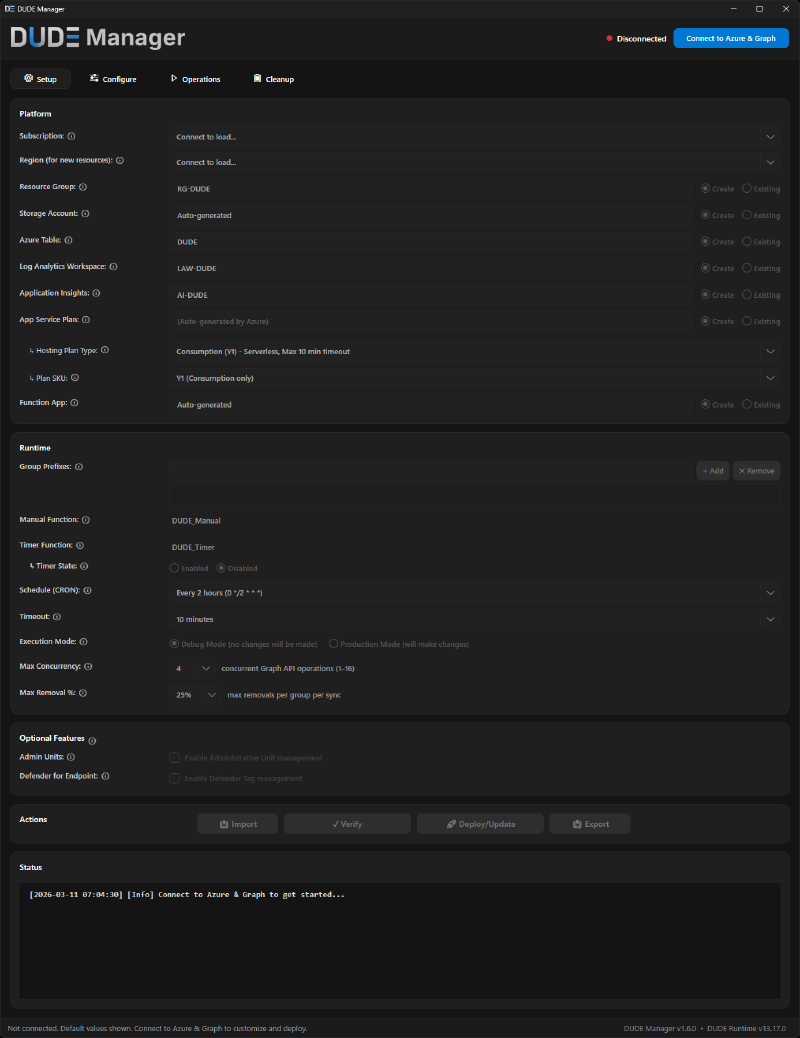
- A PowerShell/WPF GUI for Windows (control plane)
- A hardened Azure Function runtime (execution plane)
- Azure Table–backed configuration
- Managed Identity–based authentication
The GUI manages configuration and deployment. The runtime performs all directory and device writes.
Separation of duties — enforced in architecture, not documented in a runbook.
Architecture overview#
At its core, DUDE Manager runs a deterministic sync cycle:
- Read user → device mappings
- Resolve transitive user group membership via Microsoft Graph
- Calculate device membership
- Apply delta changes to target device groups
- Repeat on schedule
Group membership is resolved transitively — nested user groups are fully expanded, not just direct members.
Configuration lives in Azure Table storage. Execution runs under a Managed Identity — no stored credentials, no secrets, no service accounts.
The GUI cannot modify Entra ID groups directly. All write operations are executed by the runtime identity.
Control plane ≠ execution plane.
Once the core mapping runs, DUDE can optionally populate Administrative Units for scoped delegation and apply Defender for Endpoint machine tags. Both are optional — neither is required for core sync.
Security model (by design)#
The design is intentionally conservative.
Fail-closed#
Silent partial success is how bulk automation causes incidents. DUDE is designed to prevent it.
DUDE uses prefix allowlists to define which groups the runtime is allowed to touch.
If a mapping references a group name outside the configured prefix allowlist:
- The operation is rejected.
- The row is skipped.
- Nothing proceeds silently.
Missing group prefix configuration halts execution entirely.
For optional fields — Administrative Units and Defender Tags — enforcement works at two levels. If the allowlist setting itself is missing, all rows with that field are rejected entirely (fail-closed, same as groups). If the setting is present but a specific value doesn’t match any configured prefix, that field is stripped from the row — the core group sync continues without the optional enrichment.
Blast radius limiter#
Each sync cycle enforces a maximum removal percentage per group.
Default threshold: 25% per cycle (configurable per group).
If a run would remove more than the threshold:
- The operation stops.
- The anomaly is logged.
- No destructive change is applied.
Bad data, runaway loops, and misconfiguration are contained.
Debug-first execution#
All deployments should begin in Debug mode.
In Debug mode, DUDE calculates:
- Devices to add
- Devices to remove
- Target groups
No changes are executed.
You review the plan. You validate intent. Then you switch to Production.
Integrity & auditability#
- SHA256 verification of deployed runtime files via
ARTIFACTS.json. - Multi-step infrastructure validation before deployment completes.
- Documented architecture decisions covering every major design tradeoff.
- Full execution logging per sync cycle.
Automation that cannot survive scrutiny should not run in production.
Migrating from a homegrown script#
If you are running a homegrown user-to-device sync script — runbooks, inline configuration, script-based permission scopes — the path forward is straightforward. DUDE Manager replaces all of it with centralized configuration, validation, deployment, and safety controls.
- Deploy DUDE Manager runtime
- Recreate mappings
- Validate in Debug mode
- Decommission legacy automation
Get started#
DUDE Manager is open source under the MIT license.
Review the permissions. Read the security documentation. Run it in Debug mode. This is not a five-minute install — it deploys real Azure infrastructure with real permissions.
Break it if you can.
If something in the design doesn’t make sense — open an issue.
Repository: https://github.com/danielpetri666/DUDE-Manager